You run the building
Building owner or manager
Everything in one place: what is broken, who is coming in, which company owes what, and what your tenants are being told. This is the account that can see all of it.
Getting in
You are set up when the building is created. If you own several buildings you switch between them from the dashboard, and each one keeps its own colours and logo.
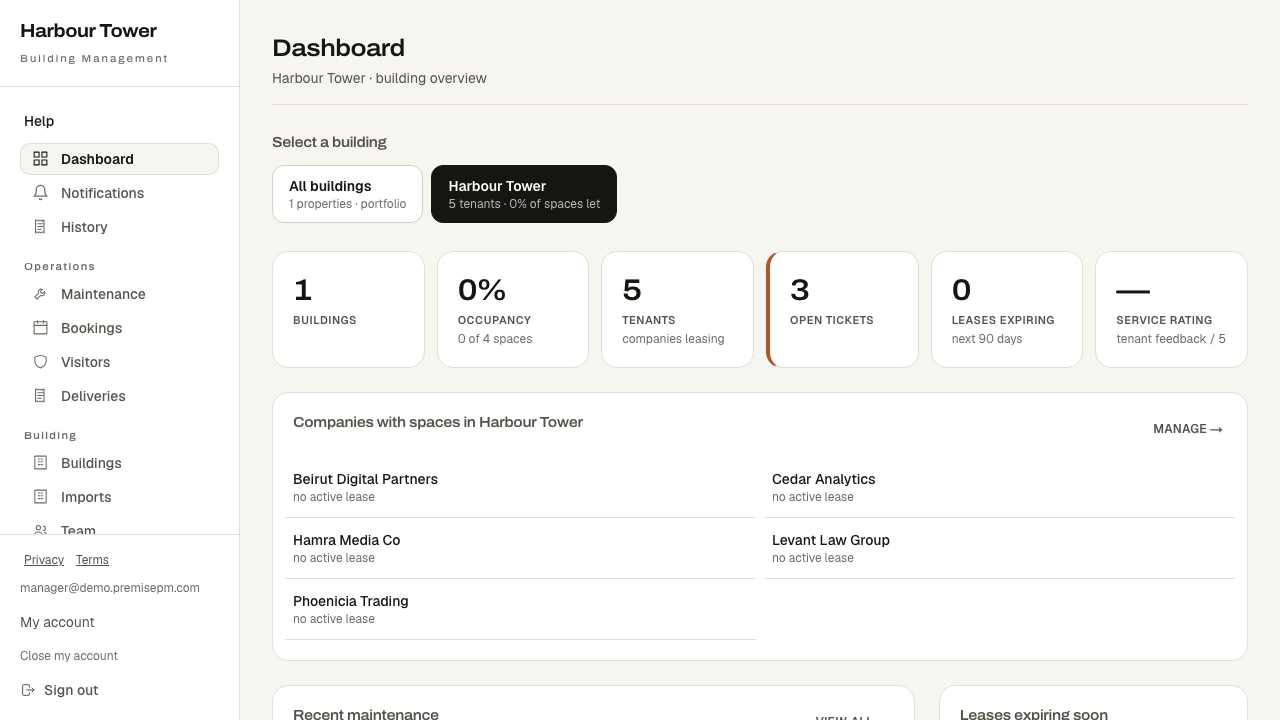
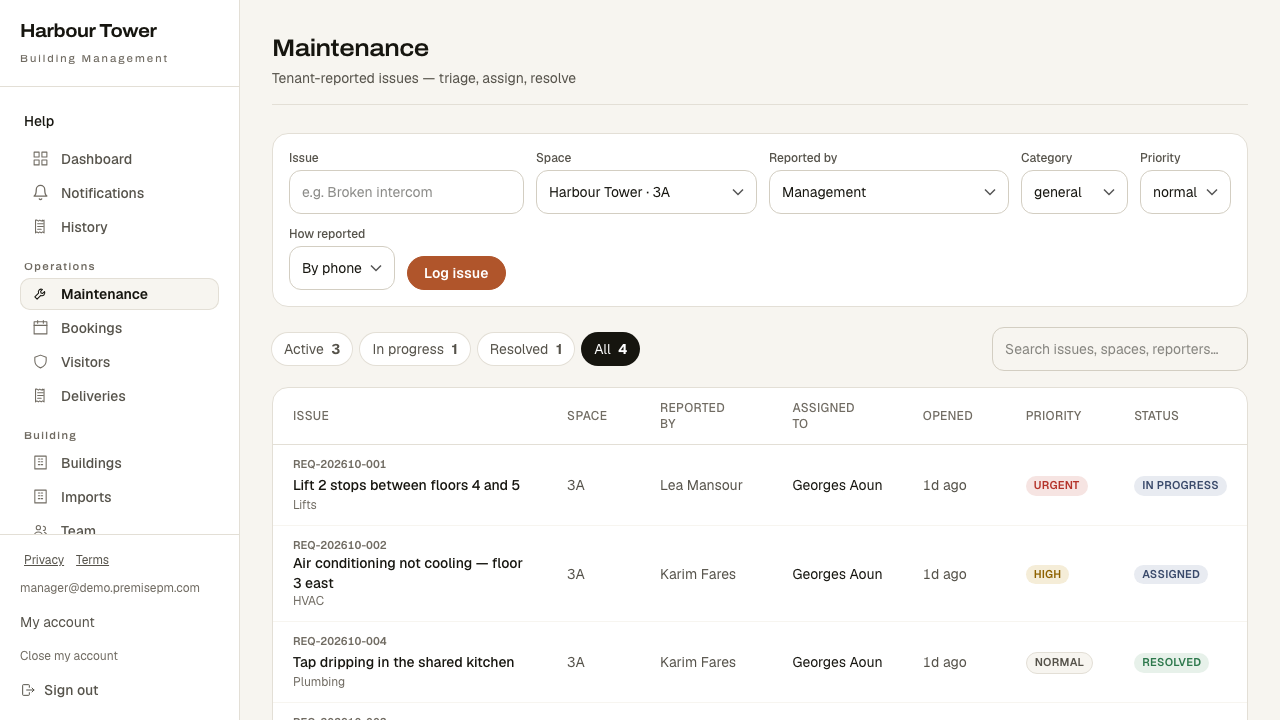
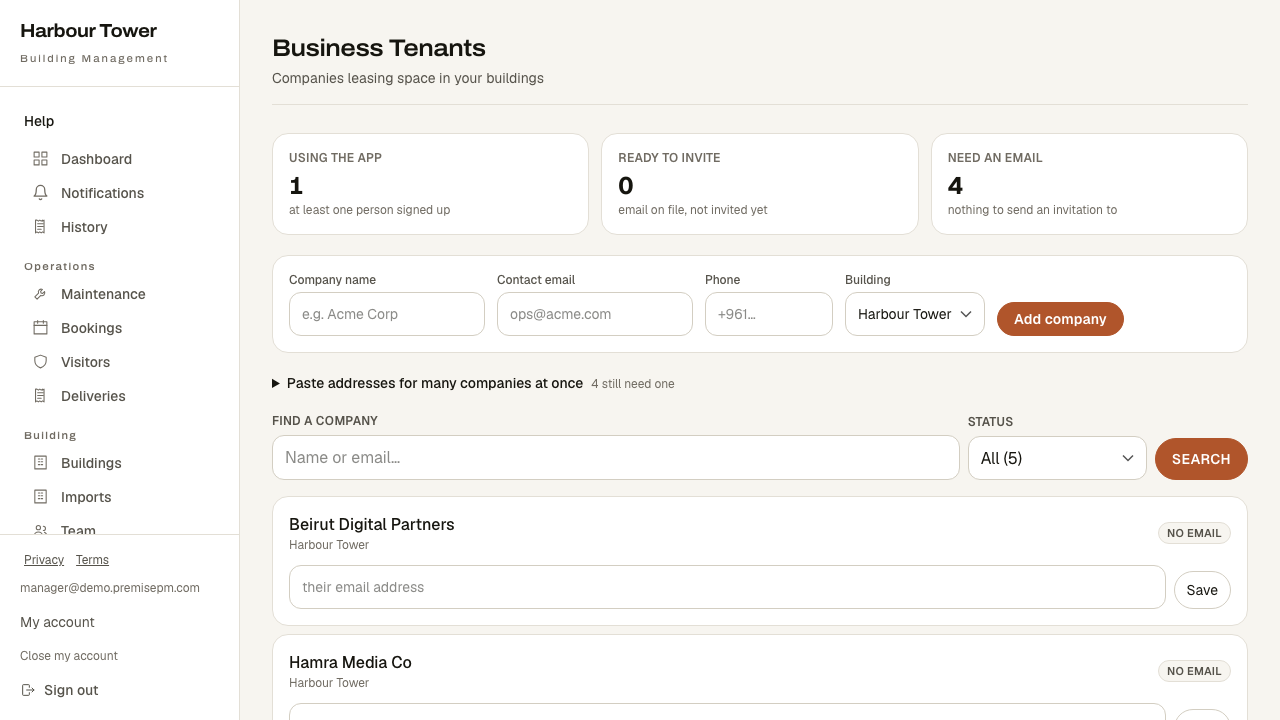
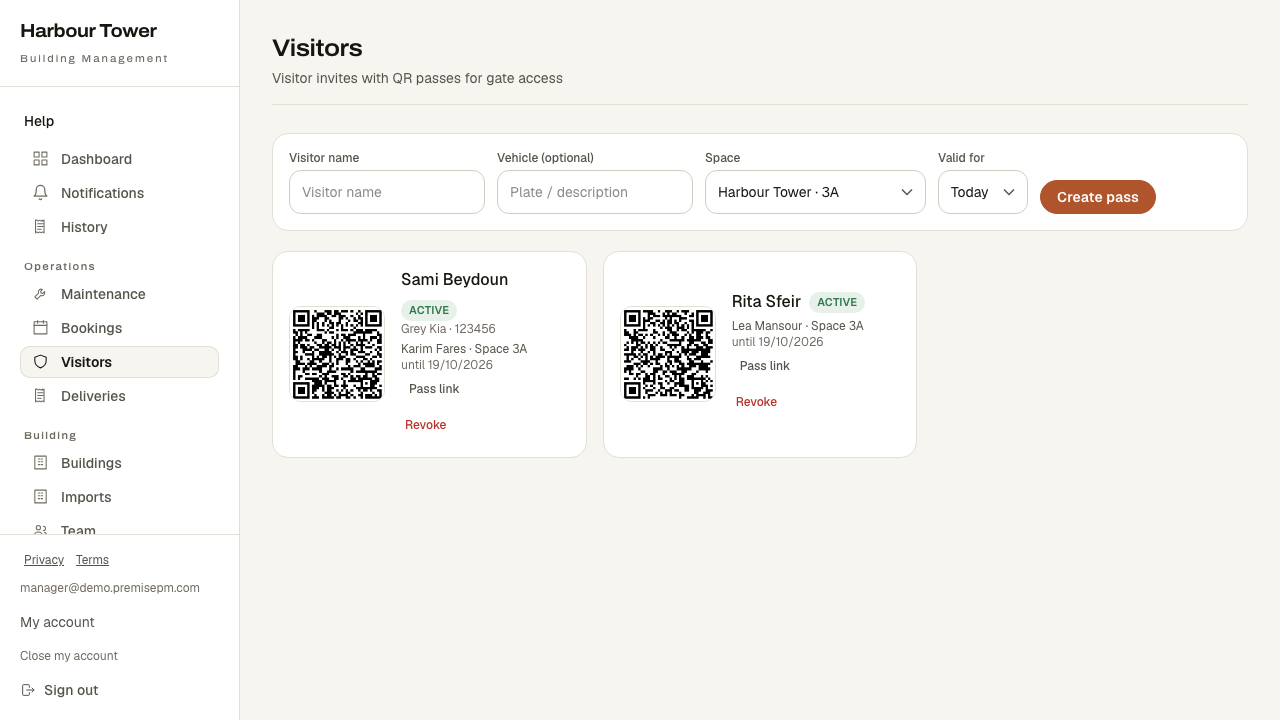
What your screen looks like
These are real screens, photographed from the running product — not drawings.
What is on your menu
- DashboardThe whole building at a glance.
- NotificationsAnything that needs you.
- HistorySee who changed building records and when.
- MaintenanceEvery reported fault, who has it, and where it stands.
- InspectionsWrite checklist rounds for places like the car park or roof; a step not done or a reading out of range opens a request.
- BookingsWhich room is taken, and by whom.
- VisitorsWho is expected, and a pass to check them in against.
- DeliveriesLog what arrives, mark it collected.
- Keys and lost propertyWho has which key, and what was found where.
- IncidentsSecurity, safety and damage, with what was done about each.
- Internal notesWhat staff need to remember about the building and each space.
- RegistersSee residents' vehicles and pets, look a plate up, and ask everyone a question on their profile.
- BuildingsYour buildings and their spaces.
- ImportsDownload a template, map and review building records, then save or undo an unchanged import within 14 days.
- Lobby screensShow notices, events and free rooms on lobby screens, and put an emergency message on all of them.
- TeamThe people who run the building.
- ResidentsThe people who live or work in the building, and where they are.
- TenantsThe companies renting space in the building.
- Requests to joinReview requests for access to the building.
- DocumentsShare documents with tenants and companies, in folders, or by a link that ends.
- InsuranceTrack tenant insurance certificates and expiry dates.
- MarketplaceSpace available in your buildings.
- AnnouncementsPost notices for the building.
- FormsWrite forms people fill in the app, and questions a room asks when it is booked; answers go to the staff member you name.
- GroupsMake groups of people or companies, and send notices, events and documents to a group only.
- EventsEvents in the building.
- Community feedApprove items for sale, pin posts, and remove what does not belong in the tenants' feed.
- Board decisionsPut a question to a group and record each member's vote.
- PerksOffer tenants deals from local partners; voucher offers give each person a code that works once.
- Redeem a voucherScan or type a tenant's voucher code at the counter and mark it used.
- PagesWrite the building's own pages, such as a house guide or gym rules, for everyone or one group.
- SurveysAsk tenants a question and review their answers.
- SuggestionsRead and answer what tenants send to the suggestion box.
- MessagesTenants write to the building privately; managers, staff and reception answer, and can leave internal notes the tenant never sees.
- BillingIssue invoices, record payments, see what is overdue.
- Shared costsThe building's running costs and how they are split across tenants.
- LeasingFollow everyone interested in a space, from first call to signed lease.
- LeasesWhat each company pays, and until when.
- SubscriptionsAnything charged on a repeating basis.
- ReportsThe figures, per building and per period.
- AssetsThe equipment you look after, and its service history.
- ContractorsWho you call out, and what they have been assigned.
- Requests for proposalAsk several contractors for a price on one request, compare their bids and award one; the purchase order prints from the request.
You see everything
This account has the full building. The narrower logins below exist for people whose job is one thing.